
Google Business Profile is the listing that helps local customers find your business in Google Search and on Google Maps. Once it has been created and verified, many owners treat it as complete. In fact, the profile keeps producing something valuable: data. Google Business Profile insights captures how people discover your listing, how they use Search and Maps to reach it, and what they do once they arrive. Used well, that data supports better decisions about your local marketing, your reviews, and the way you present your business to nearby customers.
Google Business Profile insights is the performance data attached to your listing. In practical terms, it is downloadable data that shows how your profile is performing in local searches. It gives you a direct view into how customers find and interact with your business profile.
For a business owner, insights answer straightforward questions. How visible is your profile in local search? Which routes do customers use to reach it? What actions do they take after viewing it? For agencies and marketing teams, the same information provides a clear view into how customers find and interact with local businesses in search, which makes it possible to report on progress and recommend changes with confidence.
The value of the data is not in the dashboard itself. It is in the decisions it supports. Insights allow you to compare one period with another, spot changes in behaviour, and connect your marketing activity to what is actually happening in local search.
One condition applies before any of this data is available. Google states that performance data is available only for verified Business Profiles. An unverified listing will not show you the performance information described here, because Google cannot confirm that you are the owner or manager of the business.
Verification also protects the usefulness of the data. If only authorised people can see performance information, the numbers stay meaningful rather than becoming public noise. There is a second access rule that causes confusion: you must be signed in to the Google Account associated with the profile. A different Google account logged in on the same device will not display the profile’s performance data.
If you work with an agency or marketing partner, it is worth agreeing early on which Google account will be used to access the profile. Small details like this prevent delays when you need reports or want to check performance yourself.
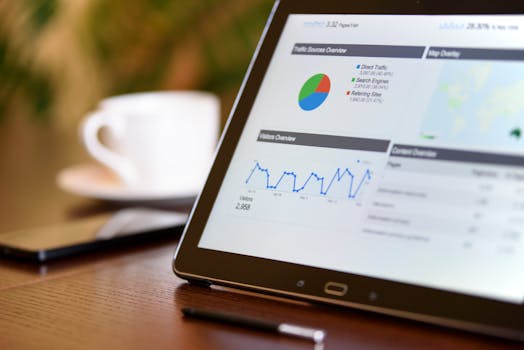
Google does not build insights from a single source. The data is created based on public, location-based information, such as customer reviews, photos and local search trends.
Each of those sources plays a different role. Reviews reflect the experiences of real customers and shape how your business is perceived. Photos influence the visual impression your listing makes and give people a sense of what to expect. Local search trends capture the way people look for businesses and services in your area.
This makes your own behaviour part of the data. A profile with recent photos, active reviews, and complete details gives Google more useful signals to work with. A profile left untouched for months generates insights that are less meaningful, because the underlying information has gone out of date.
The core purpose of performance data is to show how people discover your Business Profile. It highlights how customers use Google Search and Google Maps to find you, and what actions they take once they do.
The split between Search and Maps is one of the most useful parts of the report. Patterns in one channel will not necessarily match the other, and the balance between them can change as customer habits and local trends shift. Tracking that balance over time gives you a sense of where your visibility is coming from.
Actions matter just as much as discovery. Insights show the steps customers take after reaching your profile, which turns raw visibility into a more practical question: once people find you, do they follow through? Reviewing that behaviour alongside your own activity helps you understand which changes have an effect and which are simply cosmetic.

Data becomes valuable at the moment you use it. Google Business Profile insights will not tell you exactly what to do, but it will show you where to look and what to question.
Start with the areas behind the data itself. Because insights are built from reviews, photos, and local search trends, those three areas are a sensible focus. Keep reviews flowing naturally, refresh your images, and check that your services and opening details match what customers in your area are searching for.
Build comparisons into your routine. If you change something on the profile, record what the insights said before the change and what they said afterwards. A straightforward before-and-after review tells you whether your action moved the numbers, without complex analysis.
A short monthly review is more useful than an occasional deep dive. This routine keeps the process simple:
The routine takes minutes, but repeated over several months it builds a record. That record shows which efforts produced a response and which made no difference. That is the difference between decisions based on evidence and decisions based on guesswork.
Profile insights cover the listing itself. Google Analytics covers what happens when a customer goes beyond it. Paired together, the two platforms describe the full customer journey.
Google Analytics gives you the tools, free of charge, to understand the customer journey, and it connects your customer and campaign data across devices and platforms in one place. It also uses Google AI to automatically find the insights that matter most, so you are not left staring at raw numbers. For search campaigns, it offers real-time data and unified insights.
The most useful habit is to treat the two data sets as one story. Profile insights show how customers found you through Search or Maps. Analytics shows what they did once they reached your website and whether that visit turned into meaningful activity for your business. Following that thread makes it easier to improve your marketing ROI, because you can see the whole journey rather than isolated fragments.
Business owners and agencies managing several profiles often want a simpler way to review performance. Platforms that connect directly to Google Business Profile can help.
Semrush Local, for example, integrates with Google Business Profile to give you direct access to performance data from Google Search and Google Maps. That means the same data Google records appears in a reporting interface designed for regular use, alongside other marketing information.
These tools add convenience and structure, but they do not change the source. The underlying data still comes from Google, based on your verified profile and the behaviour it records. If you use such a platform, take a moment to understand which Google account it connects with, so access stays secure and consistent.
Yes. Performance data is available only for verified Business Profiles. If your profile has not been verified, Google cannot confirm that you are the business owner, so the insights area will not display performance information. You also need to be signed in to the Google Account associated with the profile. Once verification is complete, the data begins to accumulate.
Google creates insights based on public, location-based information such as customer reviews, photos and local search trends. These sources reflect real signals in your area, which is why maintaining your profile matters. If your listing is accurate, your photos are current and your customers are leaving reviews, the data Google has to work with is far stronger than it would be for a neglected profile.
Yes. Performance data highlights how customers use Google Search and Google Maps to find your profile. The split between the two can be one of the most useful parts of the report, because it shows the different routes customers take when they are looking for a local business like yours. That matters because a customer arriving from Search may have compared several results, while a customer arriving from Maps is often acting on location and proximity. Reading both together gives you a more honest picture of your visibility.
Yes. Google Analytics gives you the tools, free of charge, to understand the customer journey and connect your customer and campaign data across devices and platforms. It is designed to help you measure marketing ROI and find the insights that matter through Google AI assistance. Setting it up alongside your Google Business Profile is a sensible move, because profile insights show the listing performance while Analytics shows what happens when customers reach your website.