
Most construction firms win work on the strength of what they have already built. The evidence is real enough: the school extension, the steel frame, the retail fit-out, the drainage job that had to be finished around a live road. The problem is where that evidence lives. Usually it sits in a folder on somebody’s phone, in a handful of social media posts, or in a PDF that only goes out when a client asks for it.
A project showcase on your website changes that. It turns completed jobs into something that sells on your behalf, gives buyers proof before they ever pick up the phone, and creates pages that can rank for the searches your future clients are already making. Here is how to build one that does the job properly.
Not every job deserves a page. Before you start uploading, decide which work you want to win more of, then lead with that. A firm chasing school and healthcare frameworks should put those projects at the top of the showcase. A fit-out contractor or housebuilder should do the same within their own sector. A long civil project that stretched the team thin is not automatically the right one to headline if you never want to take on another like it.
Choose the projects that match your ideal client, your margins and the work your teams deliver well. Everything else can sit further back or be left out entirely.
A grid of thumbnails is not a showcase. A dedicated page for each project gives you room for professional photography, a detailed description of the work, and the customer’s own words about how it went. It also gives search engines one clear page to understand and rank for the specific work you carried out.
Keep the URL short and readable, such as /projects/riverside-school-extension/. Unless a confidentiality agreement stops you, naming the project rather than using a generic reference makes it easier for people to find and share.
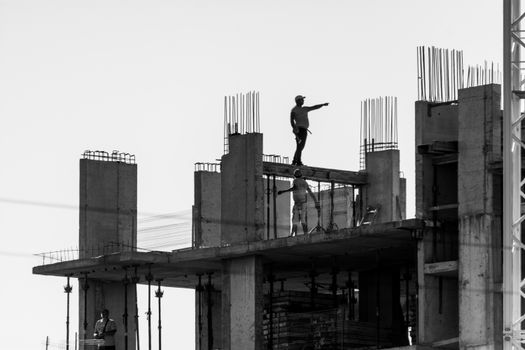
Images are the first thing people look at and the fastest way to lose their attention. Blurry phone shots taken at dusk, a frame filled by a site cabin, or a hero image showing a half-finished wall will undermine a genuinely good job. Your finished work deserves to be photographed properly, and the same job photographed well will outperform a larger project photographed badly.
Brief whoever is on site to capture pictures on a consistent set of angles as the job progresses. Shooting from the same spot each week builds a natural before-and-after sequence without any extra effort. Clear the frame of wheelie bins, cones and offcuts before you press the shutter, and make sure nobody is shown working without the correct protective equipment.
Check that you have permission to publish images of a client’s site or premises, and be careful with identifiable faces. If you work on larger contracts, an aerial shot of the completed building can carry a whole page, provided you are flying lawfully and have the necessary approvals. Otherwise, a wide ground-level shot of the finished building does the same job.

Your reader is often a procurement manager or a main contractor scanning several firms in an afternoon, and sometimes a homeowner who does not know the difference between groundworks and a slab. Short paragraphs, clear subheadings and everyday language work for both.
Explain what the job actually involved and why it was difficult. Straighten this out in plain terms: what had to be removed, what had to be protected, what had to keep running while you worked. That is the detail competitors leave out, and it is the detail that convinces a buyer you have handled something similar before. Use the words your clients use for the work, such as steel frame, groundworks, fit-out, demolition or roofing, rather than internal jargon nobody searches for.
Once you have more than a handful of projects, a single endless list becomes hard work. Add filters by sector, service or location so a visitor can quickly reach the work that looks like theirs. Keep your thumbnails consistent in shape and crop so the grid looks deliberate rather than assembled at random.
Cross-link both ways. Every project page should point to the services used on that job, and every service page should link to two or three relevant projects as proof. Link a few related projects at the foot of each page as well. This keeps people moving through the site instead of bouncing back to Google, and it helps search engines understand how your pages fit together.
Photographs prove you can build. Trust signals prove you are safe to hire. Testimonials from clients, accreditations, trade memberships, insurance details and client logos, where you have permission to use them, all reduce the risk a buyer feels when comparing you against three other firms.
It is also worth remembering where some of those buyers come from. Verified lead marketplaces exist, such as Constructionline’s Marketplace, which connects building contractors across the UK with verified construction project leads. Anyone arriving at your site from a procurement platform has already been comparing credentials, so your showcase needs to hold up alongside your paperwork.
Project pages are one of the few places on a construction website where location and service naturally sit together, which makes them valuable for local search. Put the town or area in the page title and mention it in the opening paragraph rather than stuffing it into every sentence.
Write descriptive alt text for each image, using the location and the type of work, and keep file sizes down so pages load quickly on a phone. Post a link to each new project page on your Google Business Profile when it goes live, and make sure your name, address and phone number are consistent everywhere they appear. If you operate across Scotland from Greenock to Glasgow or Edinburgh, that consistency is what keeps you showing up in the map results for the areas you actually serve.
A portfolio last updated four years ago suggests a firm that has stopped building. Add new completions as they finish, and for longer contracts post occasional progress updates so the page is not static for a year. Retire older projects that no longer reflect the work you want, or at least move them further down the list.
The same photographs can work harder elsewhere. Image-heavy social platforms reward behind-the-scenes progress shots, and those posts can point people back to the full project page where the detail lives.

Give it a few months, then check whether the pages are earning their keep. Look at form submissions and calls attributed to project pages, and ask every new enquiry how they found you and which job caught their eye. If a page gets traffic but no enquiries, the problem is usually the call to action, the page speed or the photography rather than the project itself. Fix those before you write off the work.
Quality beats quantity every time. Start with six to ten projects that reflect the work you want more of, then add new ones as they complete. A smaller, well-photographed and well-written showcase will outperform a sprawling gallery of poorly documented jobs. If you have a lot of similar work, pick the strongest examples and group the rest by sector.
No, but you should have a plan. Brief your site teams to capture consistent images as work progresses, and bring in a professional for finished flagship projects where the budget allows. Good lighting, a clean frame and a straight composition matter far more than expensive equipment. Blurry images of an impressive building will always lose to sharp images of an ordinary one.
That depends on your clients and your contracts. Many firms publish a value band rather than an exact figure, which gives buyers a rough sense of scale without exposing commercial detail. Check whether any confidentiality agreement or framework rules restrict what you can disclose, and if you are unsure, ask the client before publishing anything.
Often you can, with adjustments. Describe the sector, the scope and the challenges without naming the client or the exact location, and use photography that does not identify the site. Some firms use a generic image or a detail shot of the finished work instead. Always check the contract terms first, and never publish anything a client has asked you to keep private.
Add a new page whenever a project completes and you have usable photography and a short description ready. For contracts running over several months, refresh the page with progress images every few weeks so it does not look abandoned. An annual review is also worth doing, to retire outdated work and make sure the showcase still matches the direction of the business.